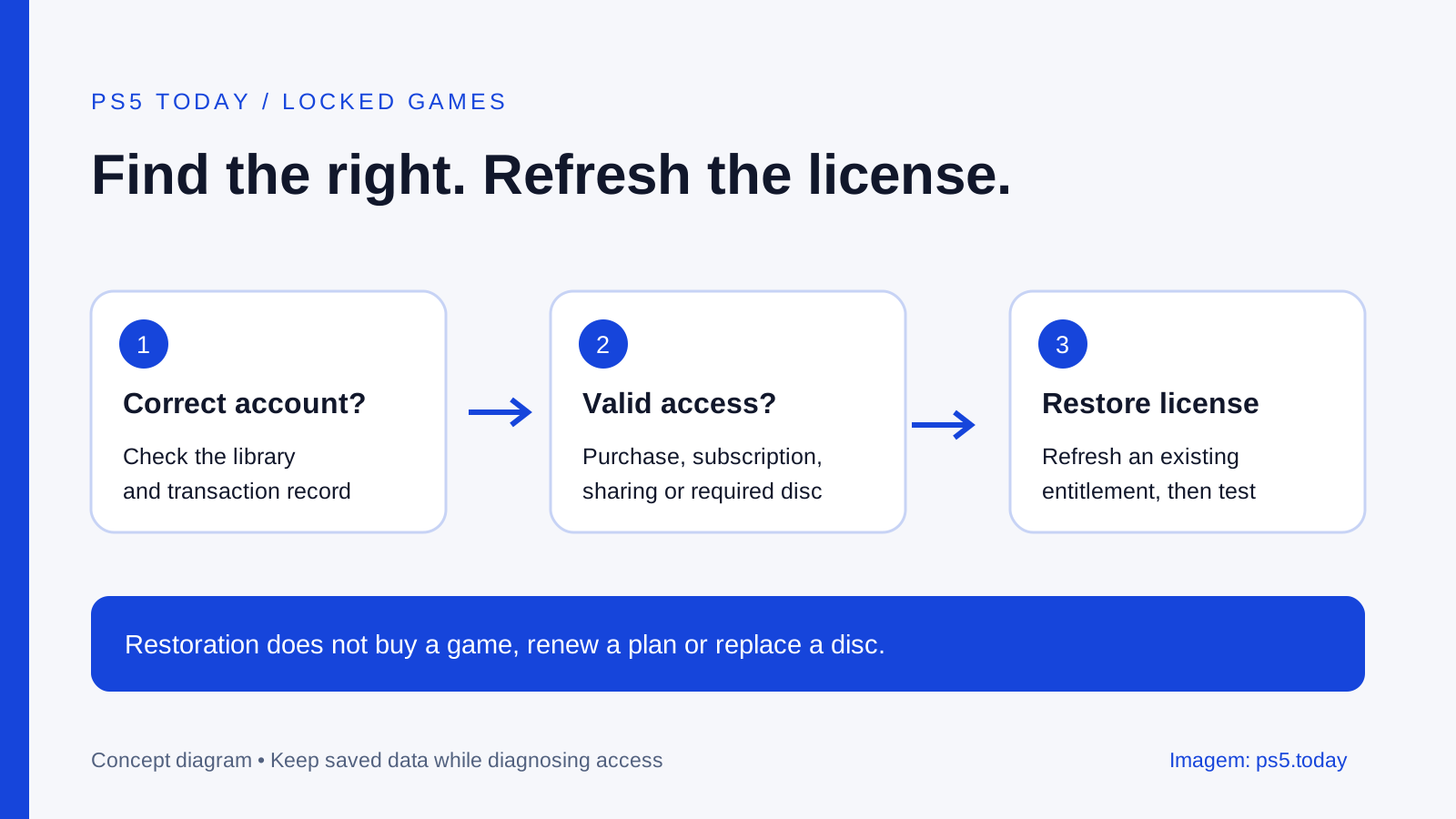
To restore PS5 licenses, open Settings > Users and Accounts > Other > Restore Licenses and select the licenses you need. Sony also provides Restore License in a game’s options menu on the home screen or in the library. The operation does not affect your saved data. It refreshes existing license information; it cannot create a purchase, renew a subscription or replace a required disc.
Before using it, confirm that you are signed into the account that bought or claimed the game. A padlock is a symptom, not a diagnosis. The same icon can follow an account mix-up, a sharing problem or an expired subscription. Work out where access came from so you do not pay for something you already own or erase data unnecessarily.
If the game launched yesterday and is locked today, keep its installation and saves in place while you investigate. The first useful evidence is its purchase or subscription history, not the amount of free space on the SSD.
Identify how you received the game
Choose the description that actually fits. Did you buy the digital game outright? Claim it as a monthly PlayStation Plus game? Download it from a subscription catalog? Install it from a disc? Or use somebody else’s eligible purchase on a shared household console?
These routes look similar on the home screen but create different conditions for access. A paid digital purchase calls for the purchasing account and valid entitlement. A subscription game also calls for the relevant active subscription and, for catalog content, continued availability. A disc-based installation may still need the disc in a supported drive.
For example, Taylor remembers downloading a game during a sale month and assumes it was purchased. The transaction record may show a monthly-game claim instead. That does not mean the game vanished; it means Taylor needs to check the subscription route before treating the lock as a damaged installation.
Another household might have the game installed by the adult’s account while a teenager normally plays on a separate profile. If only the teenager sees a lock, inspect Console Sharing and Offline Play and the child’s restrictions. If nobody can play, the investigation starts elsewhere.
Confirm the account and edition
Check which profile is selected, then inspect the account’s transaction history and library. Look for the exact title and edition rather than relying on a bank charge alone. A charge establishes that money moved; the PlayStation record helps identify which account and product received the entitlement.
A game can have PS4 and PS5 versions, bundles, upgrades and separate editions. A store page for a different edition may offer a purchase button even when you own another version. Go through your library and the game’s version options before concluding that the store wants you to buy your existing product again.
The distinction is particularly important after a console upgrade. A PS4 game running on PS5 through backward compatibility is not automatically the native PS5 edition. Read how PS4 games work on PS5 if the label is unclear. The correct version matters for both the license and saved progress.
Keep any receipt available while checking. For support, a concise description such as “this account purchased this edition on this date, and this version is locked” is more useful than “all my games disappeared” when only one product is affected. It also stops the troubleshooting from wandering into unrelated storage or controller settings.
Restore the eligible license
Connect the console to the internet and sign into the account whose license you are checking. Use the Settings path above or highlight the game and inspect its options for Restore License. Follow the on-screen selection and let the operation finish before testing the same game again.
This is a focused step. You do not need to factory-reset the machine, remove every user or delete the game’s saved data beforehand. Sony explicitly says restoring licenses does not affect data. If another instruction asks you to erase storage, recognize that it is a separate operation with a different risk.
After restoration, return to the correct edition and try to launch it. Note whether the result changed. If a different error appears, write that down rather than treating every failure as the original padlock. An access problem and a crash after the game starts are different stages.
Do not keep repeating the command without a new reason. If the entitlement is absent because the subscription expired, refreshing it ten times cannot renew it. Move to the branch that matches your evidence. Troubleshooting becomes faster when each action answers a question.
When PlayStation Plus is involved
Check whether the subscription is active and which plan supplied the game. Monthly games claimed during the offer period and games downloaded from a catalog follow different access rules. A title leaving a catalog can explain a lock even if its installation remains on the console.
Our PlayStation Plus tier guide covers the plan differences. Use the account’s current subscription information and the current official listing for the specific game. Do not infer availability from an old screenshot, a download date or the fact that another title still works.
If the game is no longer included, compare the actual choices: renew or change the relevant plan if it provides what you need, purchase the correct edition, or play something already available. Restoring licenses is not a substitute for that decision. Avoid renewing a higher tier solely to repair one title without confirming that the title is still included.
Saved progress and access remain separate. A locked installation does not by itself mean progress has been erased. Protect the relevant save before changing consoles or deleting users, using the cloud-save guide where applicable. Buying another copy should be a deliberate choice, not a panic response to the icon.
When another household member owns it
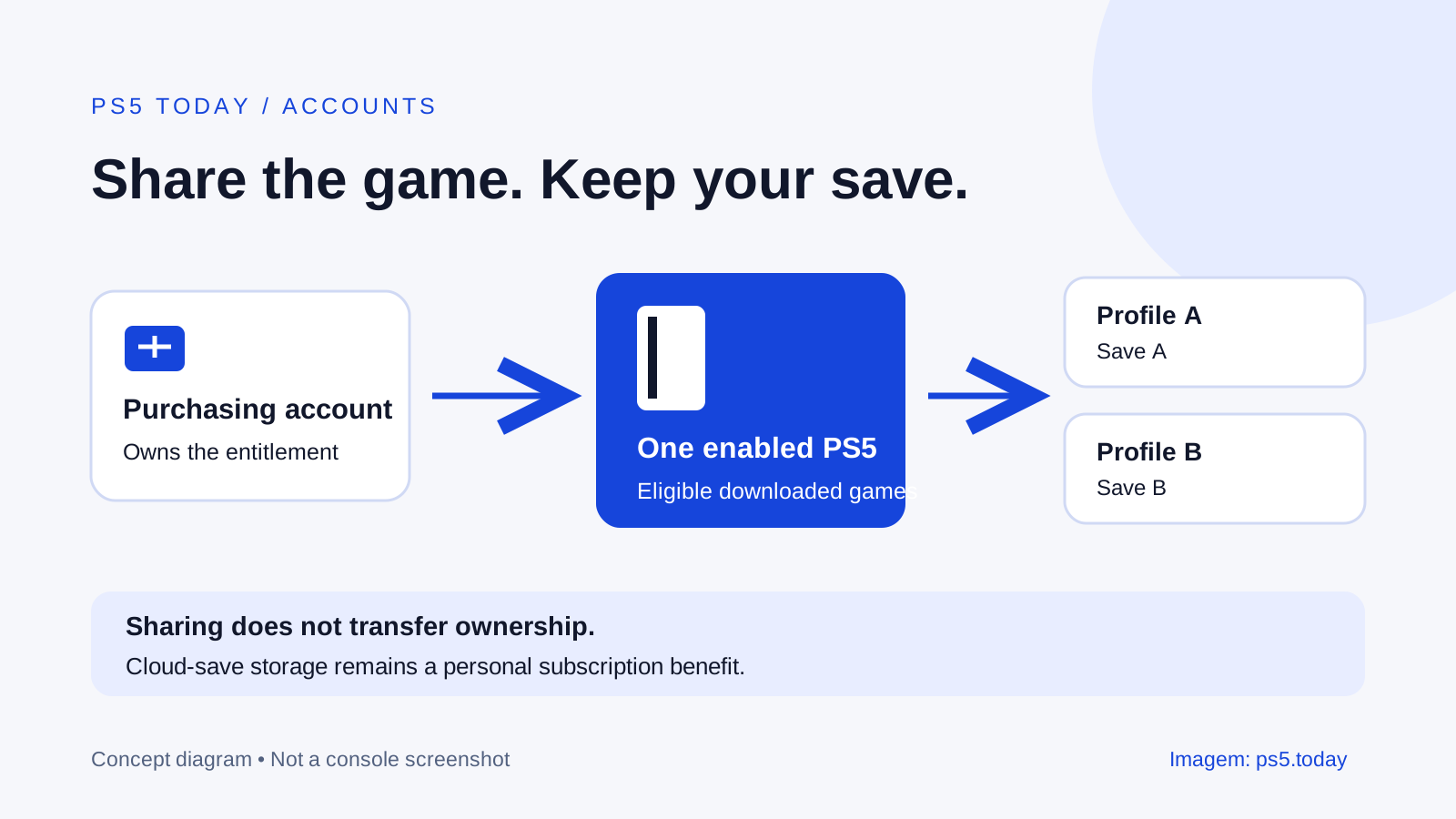
Ask the owner to inspect sharing on this PS5 while signed into their own account. Enabling it on a replacement machine can affect the old shared console. Check what changed recently: a new PS5, an account recovery, or the owner moving their normal play setup.
Do not solve this by asking the owner to send you their password. Sony advises keeping account details private. The owner can manage the supported console setting themselves, and each household player can continue using a separate profile. That preserves clearer control over purchases and progress.
Child restrictions also remain relevant. A game working on an adult profile but being blocked on a child’s profile can be the intended result of family controls. Do not turn off every restriction before establishing whether the message concerns age, permission or a license.
If the owner cannot launch the game either, return to their entitlement and subscription checks. A household configuration cannot share a right that the account does not currently have. This simple comparison between owner and other player often narrows the problem without downloading anything.
Disc games and missing add-ons need different checks
For a disc game, insert the correct disc and verify the console can read it. A digital installation or upgrade based on a disc is not automatically a permanent replacement for that disc. Restoring store licenses will not repair scratched media or make a console without a usable drive accept a disc entitlement.
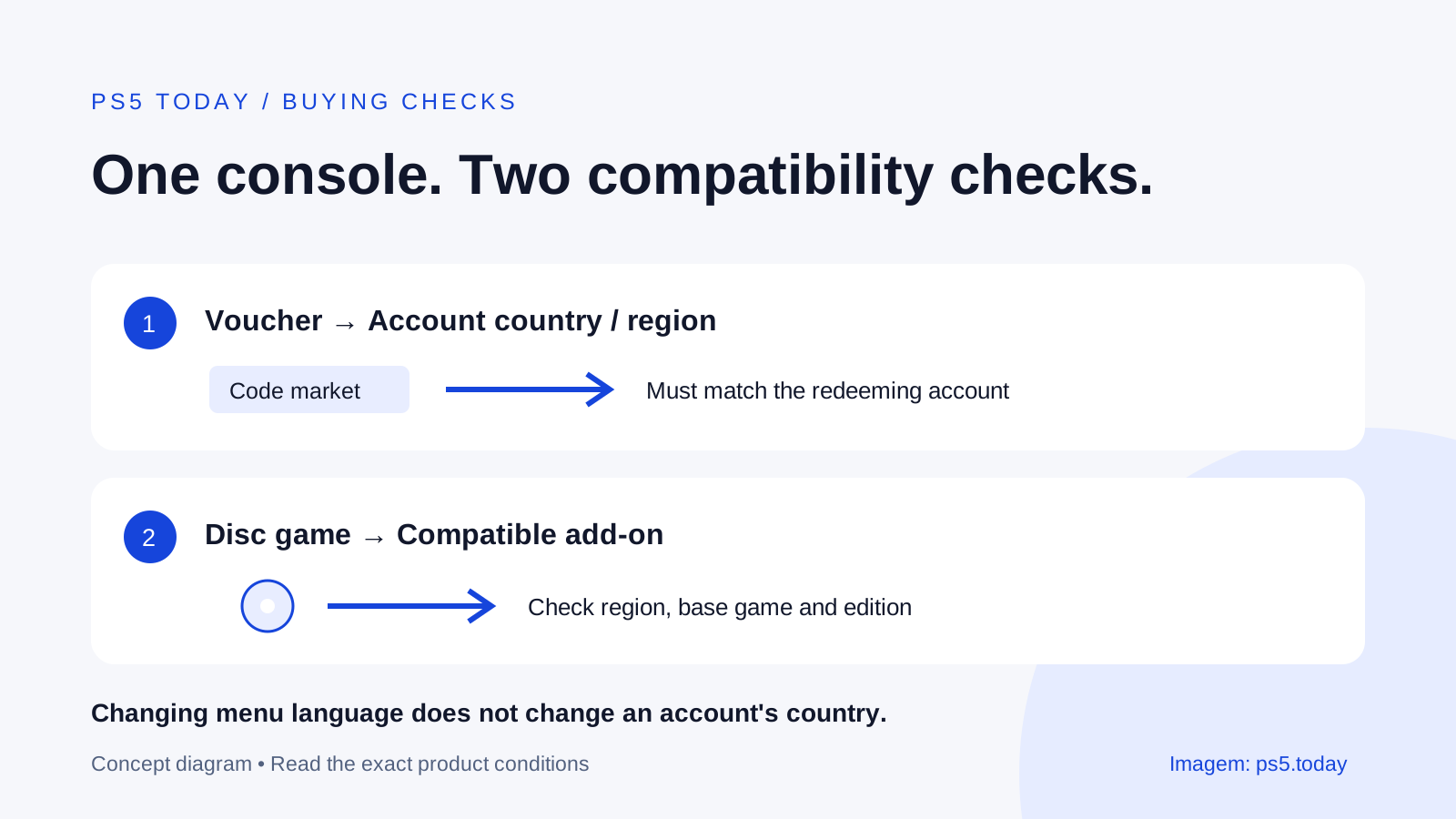
For an add-on, check its base game, platform version and region. An expansion can be purchased successfully but fail to apply to the installed edition. Our account regions, codes and DLC guide explains the compatibility checks to make before another purchase.
Some extras appear inside the game rather than as a separate library tile. Inspect the product description and the publisher’s delivery instructions. A currency pack, story expansion and costume do not all arrive in the same place. Confirm what should appear before calling it missing.
Only consider reinstalling after the account and entitlement checks, and keep saved data separate from the installation. Deleting a game without deleting saves explains that distinction. A large download should have a reason beyond the hope that starting over fixes every kind of access problem.
Escalate with useful evidence
Check the official PlayStation service status if several normally working online features fail together. A service disruption is a reason to wait for recovery, not to reset a working console. If the console cannot connect generally, use our connection troubleshooting guide.
For an unresolved purchase issue, contact PlayStation Support with the account’s transaction information, exact product, error message and steps already tried. Keep personal details within the official support process. Do not publish complete receipts or accept an unsolicited offer to “repair” the account by signing in elsewhere.
The goal is a clear answer to one question: what valid right should let this profile launch this edition on this console? Once that is established, restoring licenses is a sensible tool. Without that answer, it is only a button being pressed in the dark.
Sources and references
Written by PS5 Today.
Something changed? Send a correction →