Choose PlayStation Plus Essential if your main needs are online multiplayer in games that require Plus, monthly games and cloud saves. Consider Extra if you will actually play games from its Game Catalog. Consider Premium if its additional classics, trials or supported streaming features solve a specific need for you. The most expensive tier is not automatically the best value.
Start with the next games you intend to play, rather than the total size of a subscription library. A large catalog has little practical value if the one game you want is not in it, has already left or is only available through a feature you cannot use in your region.
The benefits here follow PlayStation’s current support comparison. Availability and prices depend on the account market and current terms. Check the purchase screen for your own account before subscribing, changing a plan or committing to a longer billing period.
What the three tiers add
Essential is the base tier. Extra includes Essential’s benefits and adds the Game Catalog. Premium adds another layer of benefits, including the Classics Catalog, game trials and supported cloud streaming. Look at each layer as a separate spending decision, rather than treating the upper tier as necessary to make the console complete.
| Your main reason to subscribe | Tier to investigate first |
|---|---|
| Online multiplayer in a game that requires Plus | Essential |
| A selection of games in the current Game Catalog | Extra |
| Specific classics, trials or supported streaming | Premium |
This table is a starting point. Check the actual game and feature page before paying. A familiar title can have several editions or versions, and a promotional image does not tell you which one your subscription includes.
Monthly games and catalog games work differently
Monthly games are offered during a claim window. The Game Catalog is a changing selection attached to the higher tiers. Adding a title from one arrangement does not turn it into the other. This distinction explains many cases where someone remembers downloading a game but later sees a lock.
When evaluating a game, ask where access comes from: a separate purchase, a claimed monthly game or the catalog. Then ask what conditions keep that access active. A download icon only says the files can be installed under the current arrangement; it does not establish permanent ownership independent of a subscription.
If you want to keep returning to one game for years, compare a direct purchase with the subscription cost you would otherwise maintain. If you like trying different games and moving on, a changing catalog may suit you better. These are different habits, not a contest between serious and casual players.
Check your next month before buying a year
Think about the time you realistically have. If you can play only a few evenings this month, choose a small number of games you genuinely want to start. Paying for access to dozens of alternatives does not create more evenings. A plan is good value when it supports your actual play, not your idealized backlog.
A longer billing period may have a different effective monthly cost, but the total commitment matters. Compare the full charge, the renewal terms and the likelihood that you will keep using the service. Do not let an introductory offer distract you from the amount charged after that offer ends.
For example, someone mainly playing one purchased online game might use Essential consistently. Someone taking a break between major releases might use Extra for a period of discovery. A person interested in a particular classic should confirm that exact title and its supported way of playing before selecting Premium.
Online multiplayer is a game-specific check
Most paid PS4 and PS5 games require Plus for online multiplayer, while some games do not. Check the game’s store listing. Do not assume that every internet-connected feature needs a subscription, or that a free-to-play game follows the same arrangement as a paid release.
Single-player play, local multiplayer and online multiplayer are also different things. A game can support two people in the same room without offering the online feature you expected, or the reverse. Read the player and online requirements for the exact version. Our guide to choosing a PS5 game explains how to check those labels.
For GTA, distinguish the PlayStation subscription from GTA+. They are separate products with different purposes. Buying one should not be assumed to satisfy the requirement of the other. See GTA V on PS4 versus PS5 when deciding what your friends need to play together.
What happens when your routine changes
A subscription that was useful during a holiday may be unnecessary during a busy work period. Reassess it when your play changes. Check the renewal date, current plan and account before changing anything, especially in a household with several users and more than one account capable of buying subscriptions.
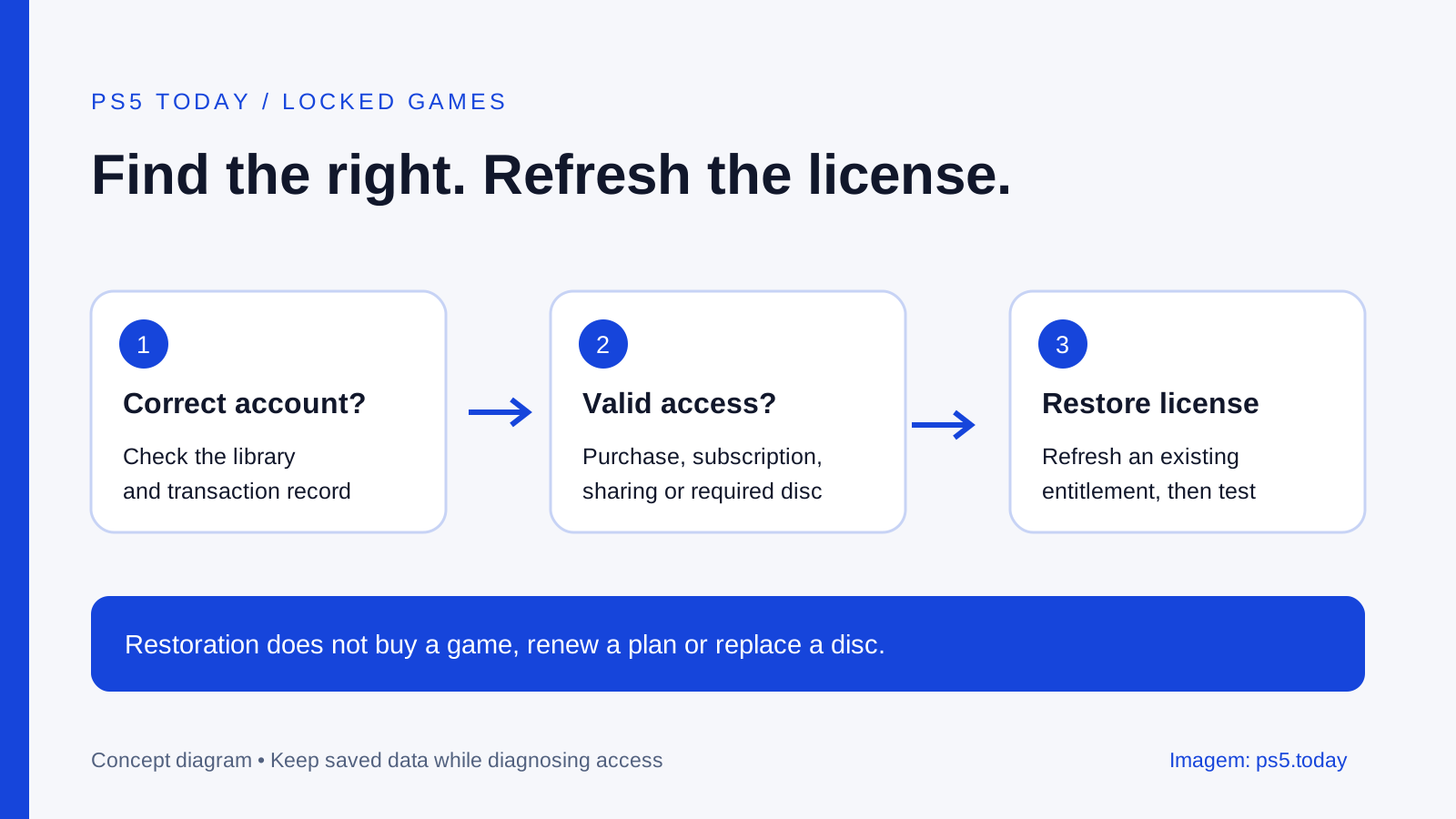
If a game becomes unavailable, do not immediately pay again. First establish how you originally accessed it. Check your subscription status, the game’s current catalog status and the purchasing account. A license issue, an expired plan and a catalog departure are different problems with different solutions.
Buying the game separately may preserve a route to continue, but make sure you choose the edition and version compatible with your existing progress and add-ons. Do not assume that every package with the same franchise name contains the same base game. Keep the relevant receipts and product information until you know the new arrangement works.
Cloud saves are useful but deserve attention
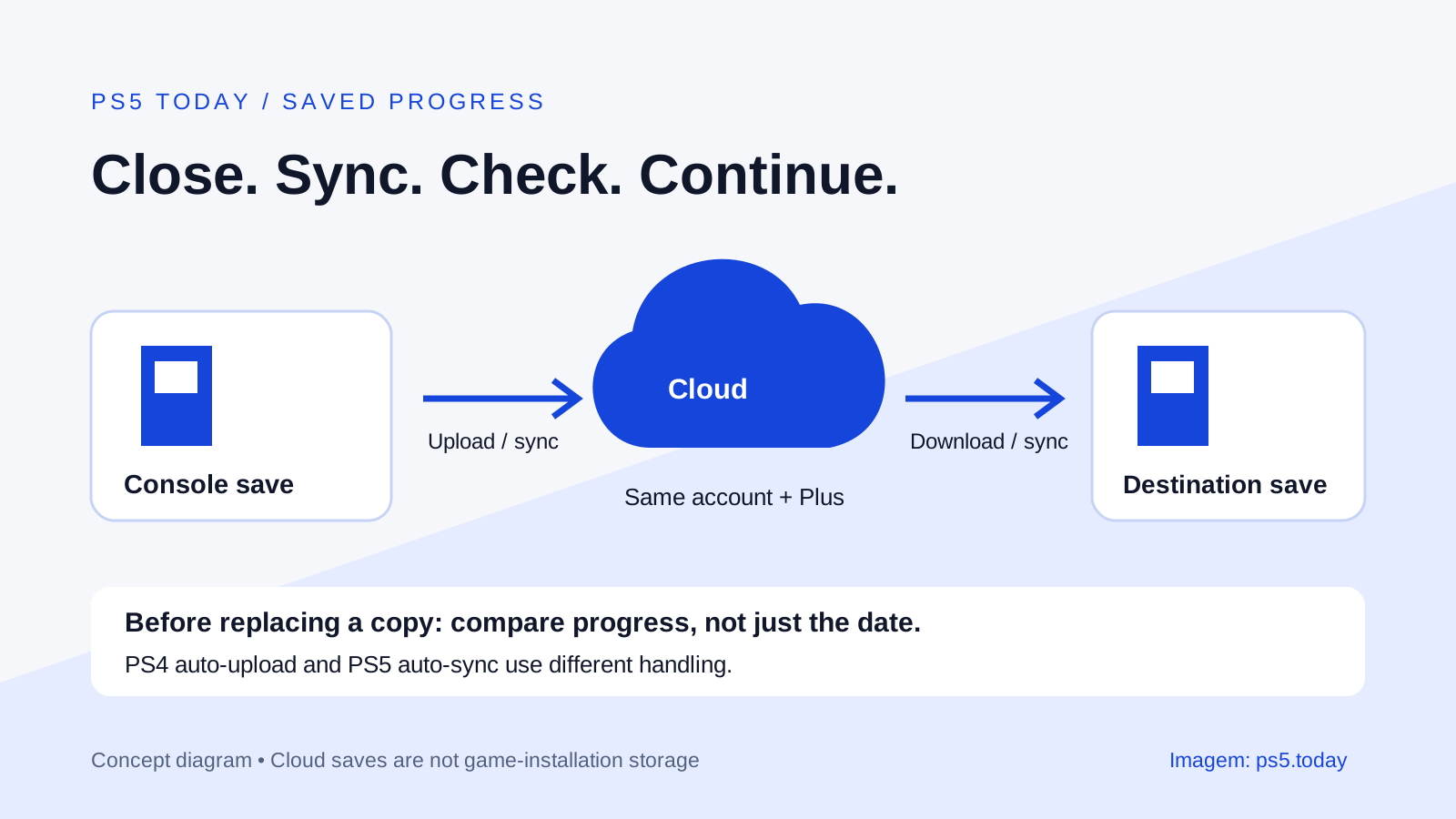
Cloud saves are one of the base benefits, but a benefit listed in a plan is not proof that every recent save has synchronized correctly. Before replacing or resetting a console, check the status for the games that matter to you. Do this while you still have access to the working machine and account.
When a game offers both local and cloud copies, pay attention to timestamps and the prompts. Choosing the wrong direction can replace newer progress with an older copy. Stop and understand the choice if the game or system presents a conflict; repeatedly confirming screens is not a backup strategy.
Cloud saves also do not reduce the installed size of a game. They protect a different category of data. If your reason for looking at Plus is a full drive, read PS5 storage explained before buying a subscription to solve a hardware-space problem.
Household sharing is not the same as every benefit
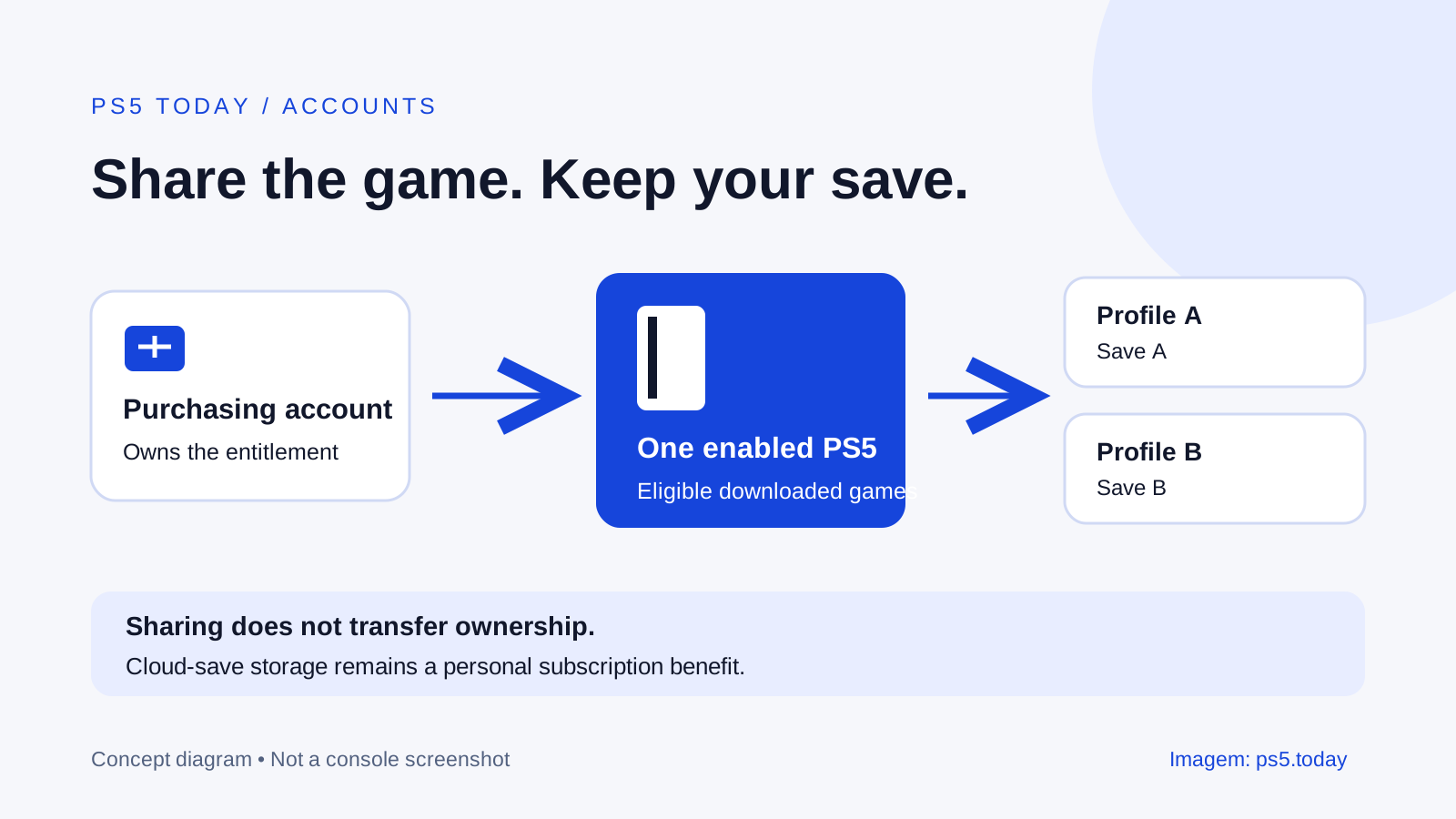
PlayStation allows selected benefits to be shared through supported console arrangements. That does not mean every account in the household receives an independent copy of every feature. The purchasing account, console setting and individual benefit still matter.
Use the official Console Sharing and Offline Play instructions when configuring your own household. Do not share sign-in details with strangers or buy a subscription that depends on an unknown seller remaining logged in. A low price is not useful if access depends on a person you cannot rely on.
For families, check the game rating and account restrictions as well as the subscription. Catalog inclusion does not make every game suitable for every child. Choose content and communication settings for the person playing, rather than assuming one general subscription decision covers the whole household.
A practical way to choose
Open the current catalog for your account’s market. Identify the games you would start soon and confirm their versions. Check whether you need Essential’s online features regardless of the catalog. Then consider whether Extra’s or Premium’s additional features justify the difference for your own routine.
If the answer depends entirely on one game, compare buying it separately. If several current catalog games suit you and you enjoy trying different things, Extra deserves a closer look. Choose Premium because you can name the additional feature you will use, not because its name sounds more complete.
For the dated monthly selection, see October 2026 PS Plus games and what to claim. Use the official Plus page to check current local offers. Read the amount and renewal conditions on the final purchase screen, where the terms for your account actually apply.
Subscription benefits and household access are separate questions. Our Console Sharing and Offline Play guide explains what other users can access on the enabled console, while the cloud-save sync guide explains why each player’s progress needs its own account and save arrangements.
Sources and references
Written by PS5 Today.
Something changed? Send a correction →