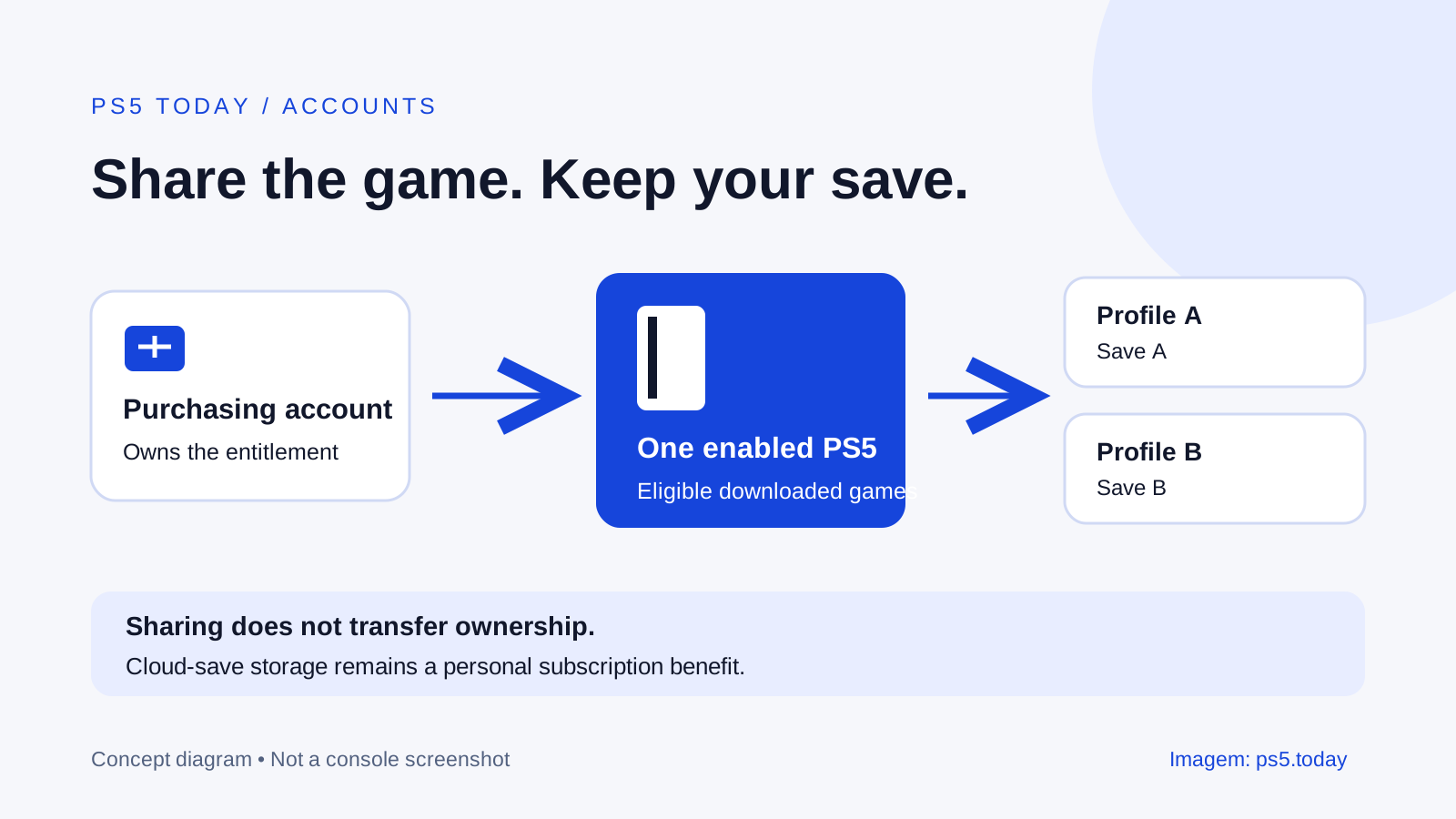
Turn on Console Sharing and Offline Play on the PS5 that your household uses to let other profiles play your eligible downloaded purchases. The setting is under Settings > Users and Accounts > Other. An account can enable it on one PS5 at a time. It does not combine profiles, transfer ownership or give everyone a separate PlayStation Plus subscription.
The most useful arrangement is usually simple: an adult keeps purchases on their own account, each player has their own profile, and the shared console is enabled for the purchasing account. People can then keep their progress separate without repeatedly signing into the buyer’s profile. Games that require an internet connection still require one.
Before changing anything, identify which account actually bought each game. A game being installed on the SSD does not prove that the profile currently selected owns it. If you are setting up a new system, complete first-time PS5 setup before arranging access for the rest of the household.
Set it up on the console people will actually use
Sign into the account that owns the purchases. Open Settings, choose Users and Accounts, select Other, and open Console Sharing and Offline Play. Choose Enable if the console is not already enabled. Sony normally enables the feature on the first PS5 used to sign into that account, but check the actual setting rather than relying on that default.
Download the eligible game from the owner’s library. Return to the user selection screen and open a different household profile. Start the installed game there. This practical check answers a more useful question than looking for a setting alone: can the intended player launch the intended purchase on their own profile?
For example, imagine Morgan bought a single-player puzzle game and their partner Sam wants to play it. Morgan enables sharing on the living-room console and installs the game. Sam opens it from Sam’s profile. Morgan’s progress remains associated with Morgan; Sam starts a separate playthrough. There is no reason for Sam to overwrite Morgan’s save simply to use the purchase.
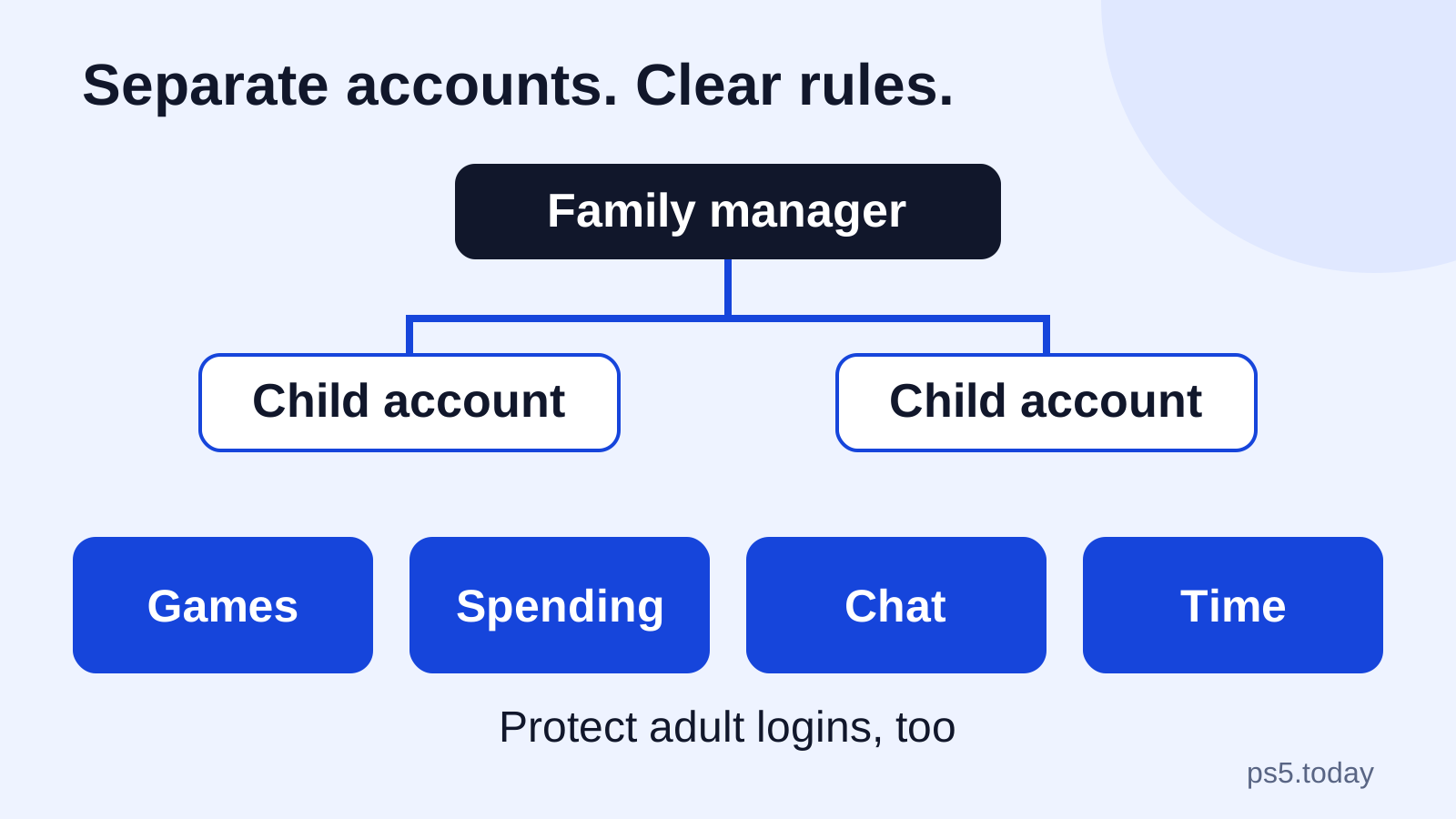
Child profiles need an additional check. Sharing does not remove an age limit or a restriction set by the parent. Set those rules deliberately using PS5 family and parental controls, then test access from the child profile. A restriction doing its job is different from a broken license.
What changes, and what stays attached to the owner
Think of the setting as permission to use certain content on a particular console. It is not a change to the receipt. The purchasing account remains the owner of its digital entitlement, and its transaction history remains the place to establish what was bought.
This distinction matters when a household changes consoles or accounts. If someone decides to stop using an old email address, creating a fresh PlayStation account does not move their old purchases into the new one. Solve account access first. Our guide to passkeys and account security explains how to make the account easier to protect without abandoning its library.
It also matters for extras. Do not assume that every in-game currency pack, publisher account benefit or personal unlock follows the same sharing rules as the base game. Read the specific product description. If the extra is tied to the account that redeemed it, downloading the game under another profile does not establish a right to that extra.
Separate three questions when buying: who owns the product, which console may share it, and which profile receives a personal item? Keeping those questions apart prevents a common disappointment: buying a bonus on the adult account while expecting it to appear automatically on a child’s separate publisher account.
Which PlayStation Plus benefits can other profiles use?
Sony allows selected benefits to be shared on the enabled PS5, including online multiplayer and eligible downloaded subscription games. Access depends on the subscription and, for catalog content, on the title still being included. Our PlayStation Plus tier guide explains the differences between the plans.
Some benefits remain personal. In particular, shared access does not give another profile its own cloud-save storage, the ability to claim monthly games on that account, or its own right to buy products at the subscriber’s discount. A trial also should not be treated as a household entitlement just because a full game can be shared.
Consider a household where the adult subscribes and a child plays online through the shared console. That can make a second subscription unnecessary for that specific multiplayer use. It does not mean the child’s saved data is automatically backed up to the adult’s cloud storage. Review cloud saves and sync before deleting a user or replacing hardware.
A sensible buying decision starts with the missing benefit. If everyone already plays the games they want, buying another subscription solely because there are two profiles may solve nothing. If a second player specifically needs their own cloud saves, that is a different requirement. Choose around the actual feature rather than the number of controllers in the room.
Offline play is not a promise that every game works offline
The setting supports offline use of eligible downloaded purchases on the enabled console. It cannot remove a game’s online requirement, download an uninstalled title without a connection, or replace a game disc where the disc is required. Subscription access has its own ongoing eligibility conditions.
Before a planned internet interruption, install and update the games you intend to use, finish any additional downloads inside them, and launch the desired mode while connected. Then test the actual game and profile without the internet. That rehearsal is more reliable than assuming that a successful installation includes every campaign, language pack and first-launch step.
Choose the test around the upcoming situation. A traveler expecting to play a solo campaign needs that campaign to load, not just the title screen. A family expecting a local multiplayer evening needs a mode that supports local players, not an online lobby. A game can offer both kinds of play, with different requirements for each.
Keep the system in a normal working state during that preparation. Offline readiness is not a reason to reset the console, delete saved data or remove every account. If the console’s connection itself is unreliable, use the internet connection guide to separate a network problem from a content permission problem.
Moving sharing to a replacement PS5
Because the setting applies to one PS5 per account at a time, plan which console should receive it. When the old console is available, disable sharing there before enabling the replacement. Do this before handing over or selling the old unit, alongside removing your personal information through the appropriate transfer and reset process.
Changing the enabled console can change access for other profiles on the previous one. Tell the household what is moving so a padlock later does not look like a vanished purchase. Keep a short record of which account owns the important games; a family does not need to discover that during an internet outage.
If you no longer have the old console, Sony offers remote deactivation of all devices through Account Management. That operation has a six-month restriction, so it is not a tool to keep toggling during troubleshooting. Read the confirmation and understand the devices affected before using it. Contact official support if an account or activation problem cannot be resolved through the available controls.
Moving access is also separate from moving progress. Installing the same game on a replacement machine will not by itself bring every player’s save along. Follow the appropriate PS4-to-PS5 transfer steps or cloud-save process for the data concerned, and verify progress before retiring the old console.
If another profile still sees a padlock
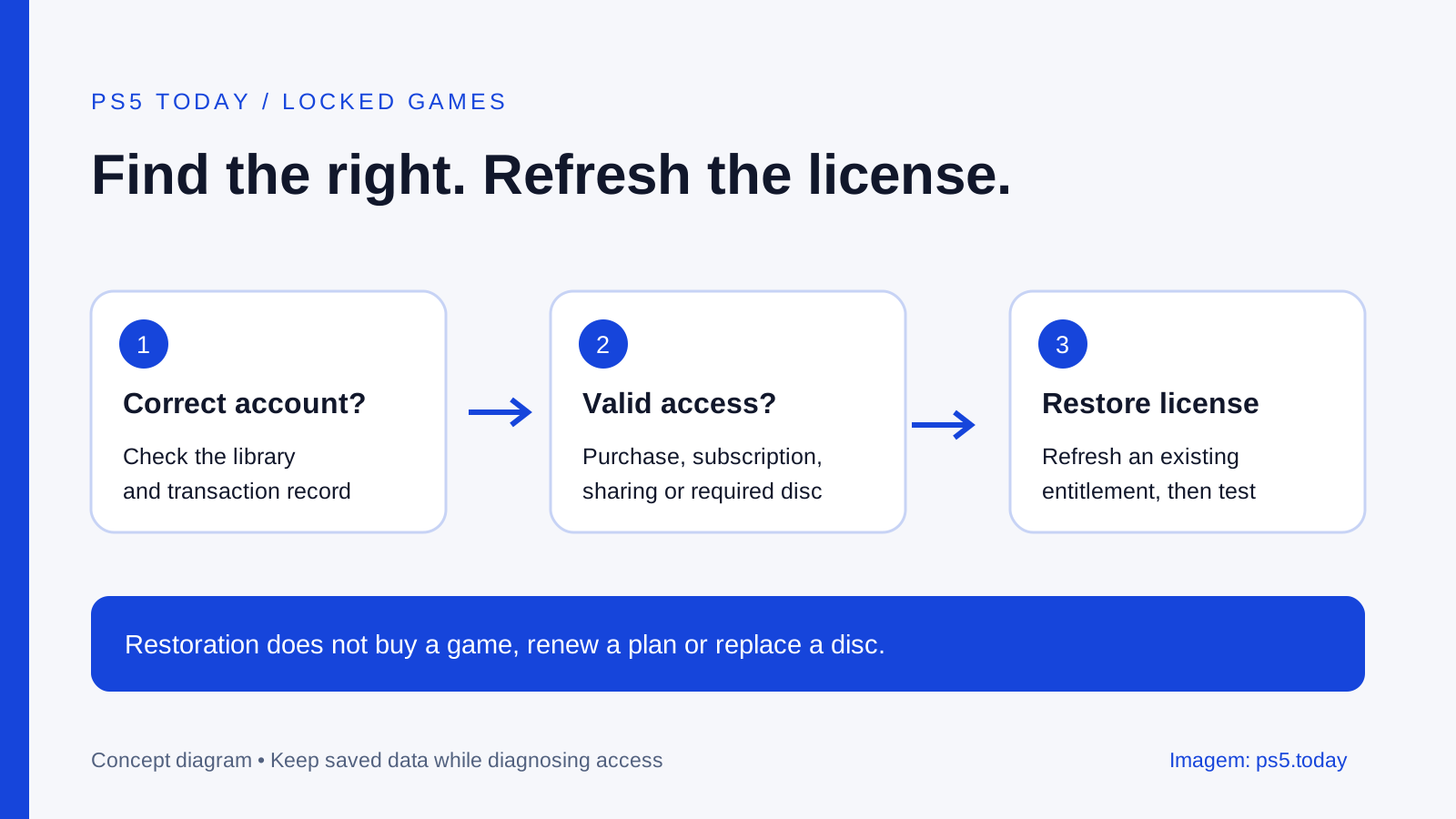
Start with the owner, not the storage menu. Confirm the purchasing account, check that its sharing setting is enabled on this PS5, and verify any subscription requirement. If the owner cannot play either, inspect the purchase or subscription before spending time on the other profile.
If the owner can play but another user cannot, check sharing and that user’s restrictions. If the game came from a subscription catalog, check whether it is still available under the relevant plan. If a disc supplied the entitlement, make sure you are using the correct disc and edition. These cases call for different remedies.
For a purchase that should be available, restoring PS5 licenses is a reasonable next step. It refreshes license information; it does not create a missing purchase or renew an expired subscription. Avoid buying the game again simply because a store page displays a purchase button.
Once access works, keep each person playing under their own profile. That small habit preserves the value of the whole arrangement: one clearly identified purchase, appropriate sharing on the chosen console, and progress that belongs to the person who earned it.
Sources and references
Written by PS5 Today.
Something changed? Send a correction →